

Recipes
Import a recipe from TikTok, text or a photo
Bring in a recipe from a TikTok link, pasted text, or a picture of a recipe card.
Go to Recipes, open the Imported tab and tap Import a Recipe. You have three ways to bring one in.
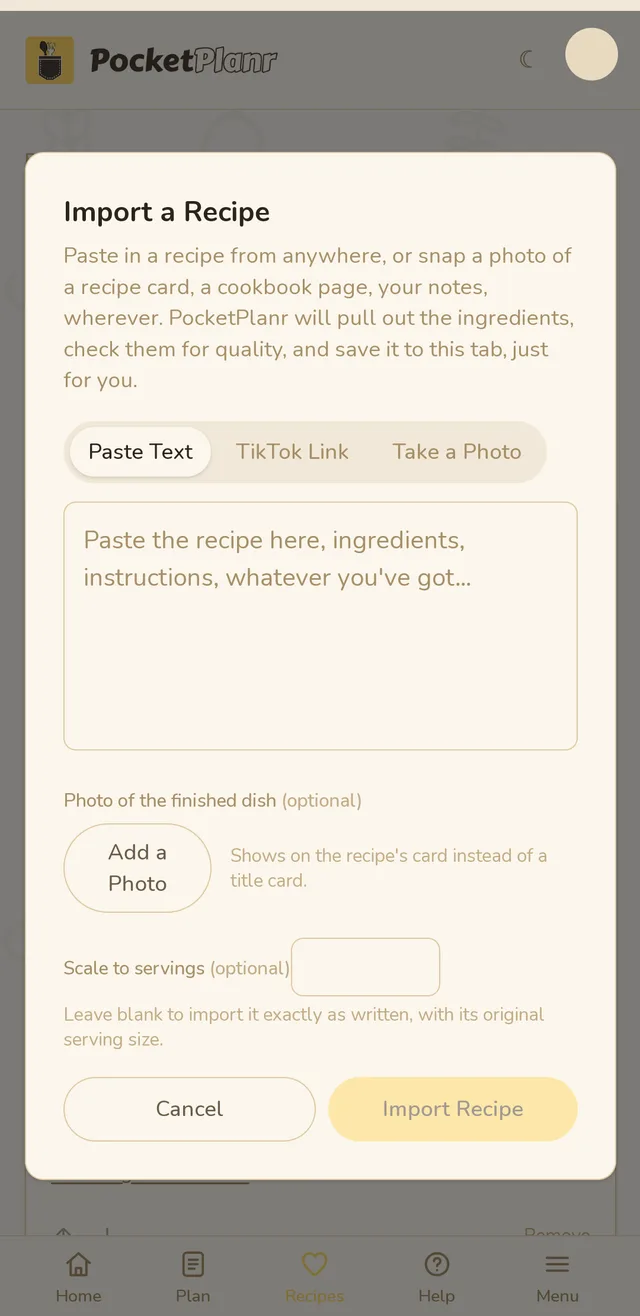
Paste Text
Paste the recipe from anywhere: ingredients, instructions, whatever you have. This works for recipes from any website.
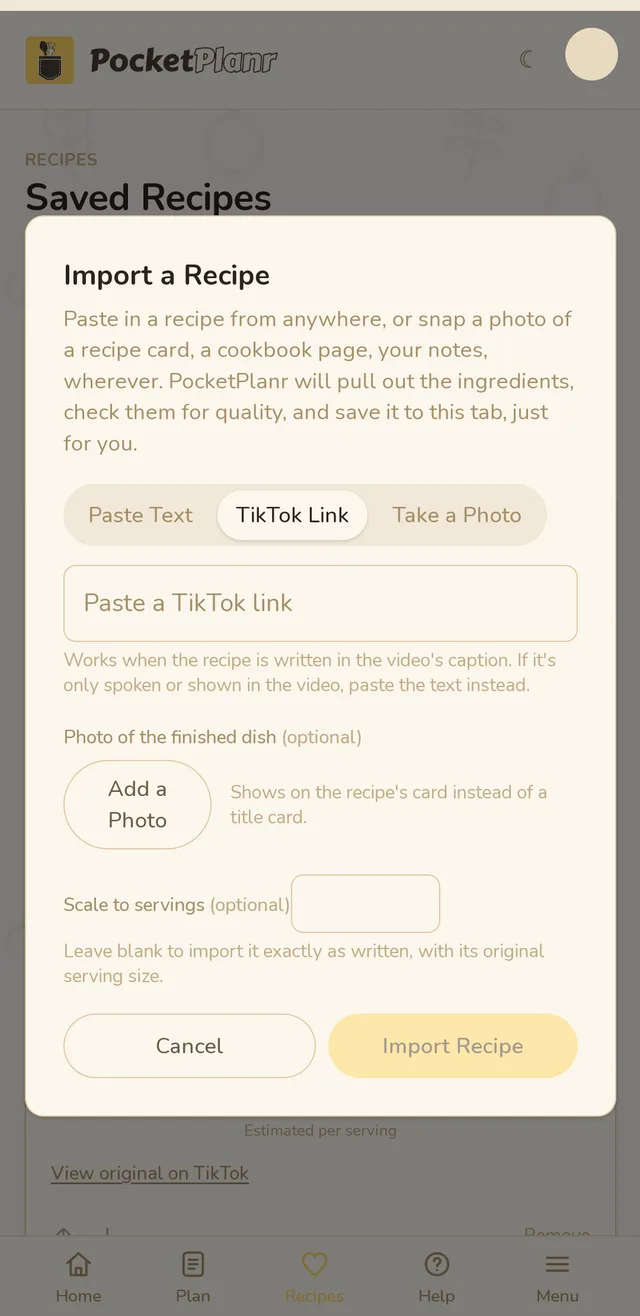
TikTok Link
Paste a TikTok link and we read the caption. Links only work for TikTok. If the recipe is spoken in the video instead of written in the caption, paste the text instead.
Take a Photo
Snap or upload a photo of a recipe card, a cookbook page or your own notes.
Two optional extras
- Photo of the finished dish shows on the recipe card instead of a plain title card.
- Scale to servings rescales the recipe to the number you type. Leave it blank to keep the recipe exactly as written.
Then tap Import Recipe. We pull out the ingredients and steps and save the recipe to your Imported tab.
Imported recipes are private. They never show up for other users. Read more in Saving recipes and copyright.
Free accounts can import 10 recipes a week. The count resets every Monday, and an import that fails does not use one up. Pro has a much higher limit.
Related guides
Didn't answer your question?
Contact us