
Recipes
Change servings and switch between metric and imperial
Scale a recipe up or down, and see ingredients in cups and ounces or in milliliters and grams.
Open any recipe with View recipe. Above the ingredients you will see two controls.
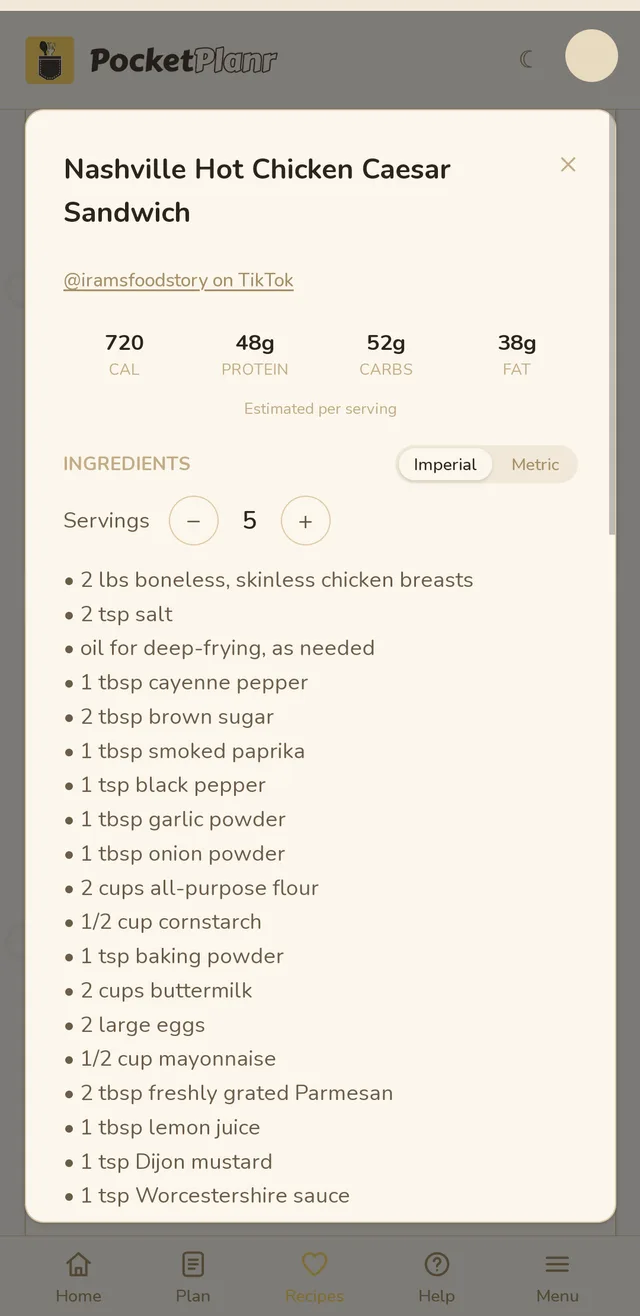
Servings
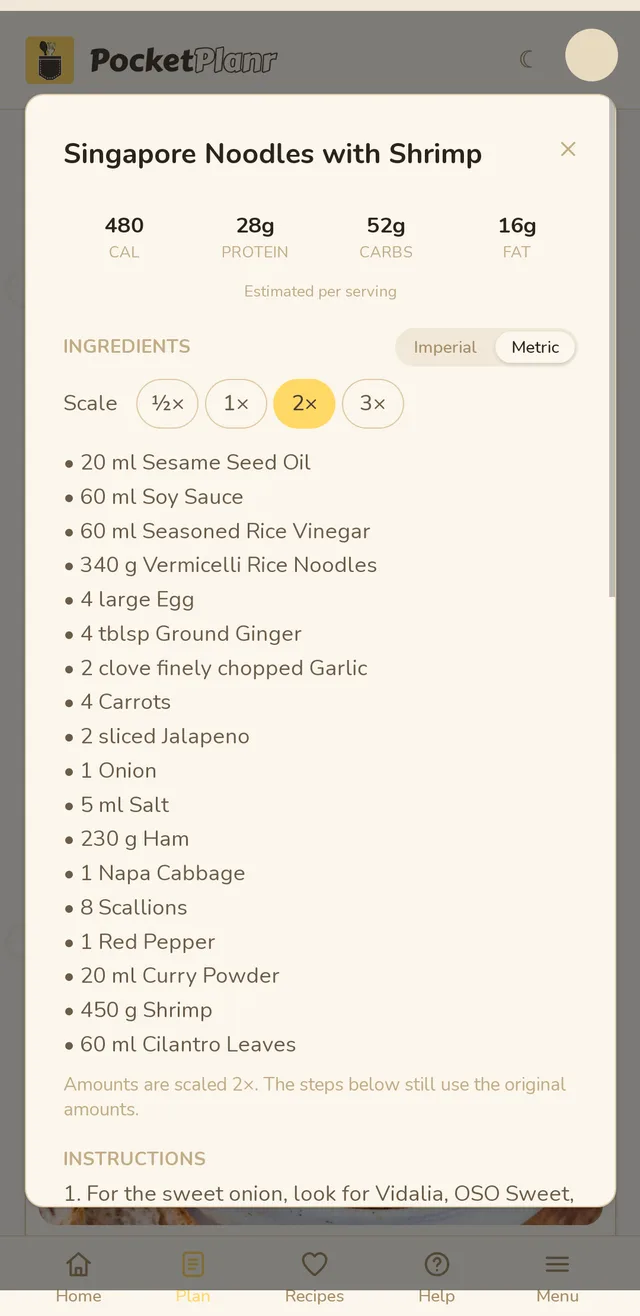
Tap + or − to change how many people you are cooking for. The ingredient amounts update right away, and Reset puts the recipe back to its original servings. Recipes that do not say how many they serve get a Scale control instead, with ½×, 1×, 2× and 3×.
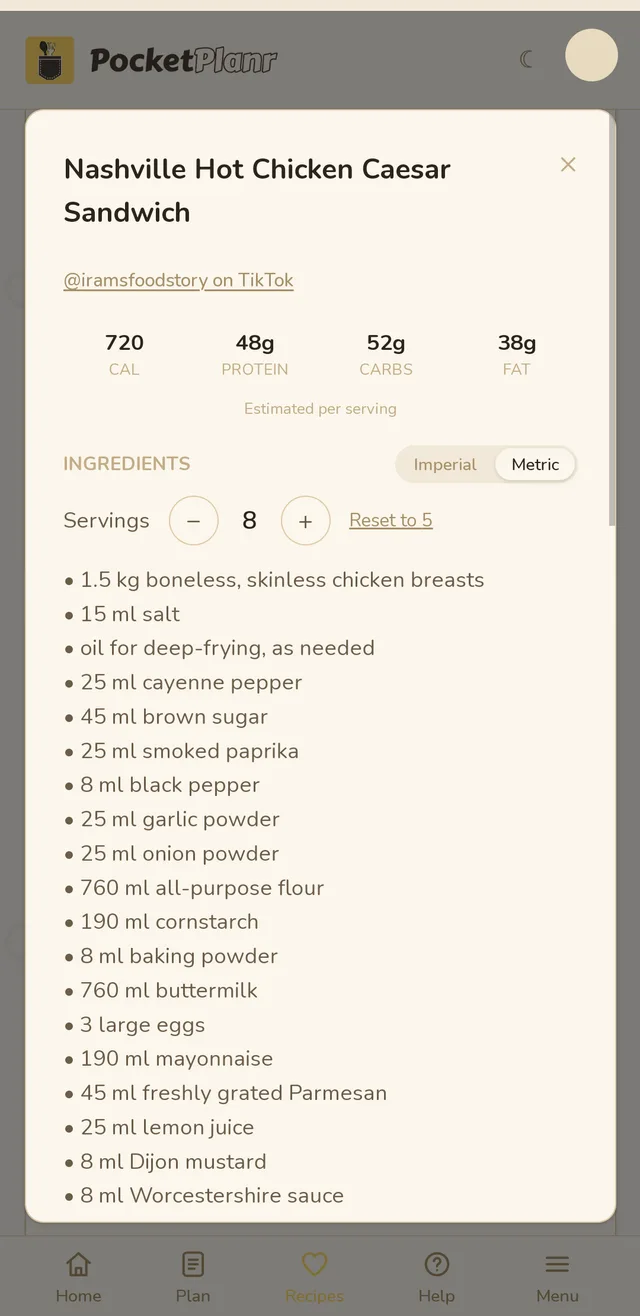
Metric or imperial
Choose Imperial (cups, ounces, pounds) or Metric (milliliters, grams, kilograms). Your choice is remembered on that device, and it also applies to the ingredients shown in cook mode.
Good to know
- The steps are not rewritten, so if a step mentions an amount, it is still the original one.
- Amounts are rounded to numbers that are easy to measure, so 1 cup becomes 240 ml rather than 236.6 ml.
- Package sizes in brackets, like (14 oz), are converted but never scaled.
- Lines it cannot read, like "salt to taste", are left as they were.
Related guides
Didn't answer your question?
Contact us